
Google Ads for contractors, minus the hype: what clicks really cost, the math to run first, where budgets leak and what changed with Local Services Ads.

Short answer: Google Ads works for contractors when one job is worth enough to pay for the clicks, when every call and form is tracked back to the ad that produced it, and when someone looks at the account every week. Take away any one of those and it becomes an expensive way to learn what a search terms report is.
I run a small agency in Everett, and I like contractor accounts because the math is so clean. A homeowner with a leak types what they need and the city they need it in. Either you show up or your competitor does. Here's how I'd think about it if it were my money.
A lot of guides to Google Ads for contractors quote a cheap cost per click and move on. Clicks in the trades are often not cheap. In our Snohomish County roofing case study, competitive roofing terms cost roughly $30 to $50 or more per click. Your trade and town will be different. Look up your own services and cities in Google's Keyword Planner instead of trusting a number in a blog post, including this one.
Then work backward from a job. The numbers below are an example, so plug in your own.
If your average job carries $6,000 of gross profit, paying $1,000 to win it is a good trade and you should probably spend more. If your average job carries $900, the same account loses money on every sale, and no amount of clever ad copy fixes that. The ad platform isn't the problem. The math is.
Two numbers in that example are yours to move: how many clicks become calls, and how many calls become jobs. The first is your landing page. The second is how fast you call people back.
Local Services Ads are the listings shown prominently in Google Search results, and they can carry a Google Verified badge. The appeal is the pricing. Google charges for each valid lead instead of each click, and says leads it determines to be invalid or low quality are not charged. For a lot of trades that makes it the safest first dollar.
Search ads are the regular sponsored results. You pay per click, but you choose the keywords, write the ads and pick the page people land on. That control matters when you want more of one kind of job, like full roof replacements instead of small repairs.
Here's the part older guides miss: the two are merging. Google's help center says existing Local Services Ads campaigns are being migrated into Google Ads as a Performance Max campaign type built for pay per lead goals. The rollout started in August 2026 with selected US home service advertisers, including plumbing, HVAC, electrical and roofing, with broader groups in late 2026 and the rest in 2027. Paying per lead stays. Manual bidding goes away, and weekly budgets become daily averages. If you run Local Services Ads, check your budget and targeting after the move. A campaign that got migrated for you is exactly the kind of thing nobody opens for six months.
My usual order: Local Services Ads first if you qualify, search ads second for the high-value services where you want control, and both once the numbers hold up.
Most of these are settings, not strategy, which is good news. You can fix them in an afternoon.
This is what separates an account that works from one that just feels busy. A lead is not a job. Twenty calls about a small patch can look better in a report than five calls that become full replacements.
In the roofing account, tracking was the first thing we fixed. We tied every call and form back to its source and connected conversion values to closed jobs wherever we could. Once the account could see which searches produced signed work, budget moved toward emergency repair, full replacement and higher-margin roof types, and away from broad, low-intent searches. Return on ad spend went from about 250% to a peak of 562% over twelve months. There was no secret keyword. It was measurement and weekly attention.
You don't need special software to start. A shared spreadsheet where the office marks each lead as booked, quoted or junk, checked against the ad account once a month, is enough to start making better decisions.
Demand in the trades moves with the weather, and around Puget Sound the weather has opinions. Decide ahead of time what happens to the budget when a windstorm or a cold snap hits: which campaigns get more, which ones pause, and who answers the extra calls. Deciding during the storm is too late.
The same goes for the calendar. If your work isn't spread evenly across twelve months, your ad budget shouldn't be either.
You can. If you have one or two services, a tight service area and an hour a week, a small account is manageable, and the list above covers the mistakes that cost the most.
Hire someone when the waste would cost more than the fee, or when nobody on your team has that hour. Whoever you hire, including us, hold them to three things: you own the ad account, you can see the search terms you paid for, and the report shows booked jobs instead of clicks.
If you'd rather hand it off, that's what our Google Ads management is for. We're a small team, and you talk to the people doing the work. If you want a second opinion on your account or your market, request a free snapshot and I'll tell you what I'd change, including when the answer is nothing.
Work it out from your cost per click instead of picking a round number. At $25 a click, $1,500 a month buys 60 clicks. If 1 in 10 becomes a lead, that's about six leads. If that isn't enough to learn from, narrow the campaign to one service and a smaller area before you raise the budget.
Calls can come quickly once ads are live. Still, give it 60 to 90 days of testing before you judge it, because the first weeks are mostly about finding out which searches turn into real jobs.
They're a lower-risk place to start because you pay per lead instead of per click. Search ads give you more control over which jobs you attract. Many contractors end up running both.
Welcome to Equicity. We're a small team of senior SEO, AI search and Google Ads specialists near Seattle. Learn more
A practical Google Ads optimization checklist for small businesses: tracking, location settings, keywords, ads, landing pages and bidding.
Read more
How we took a Snohomish County roofer to a 562% return on ad spend and six-figure monthly revenue from Google Ads. The strategy, the numbers, the takeaway.
Read more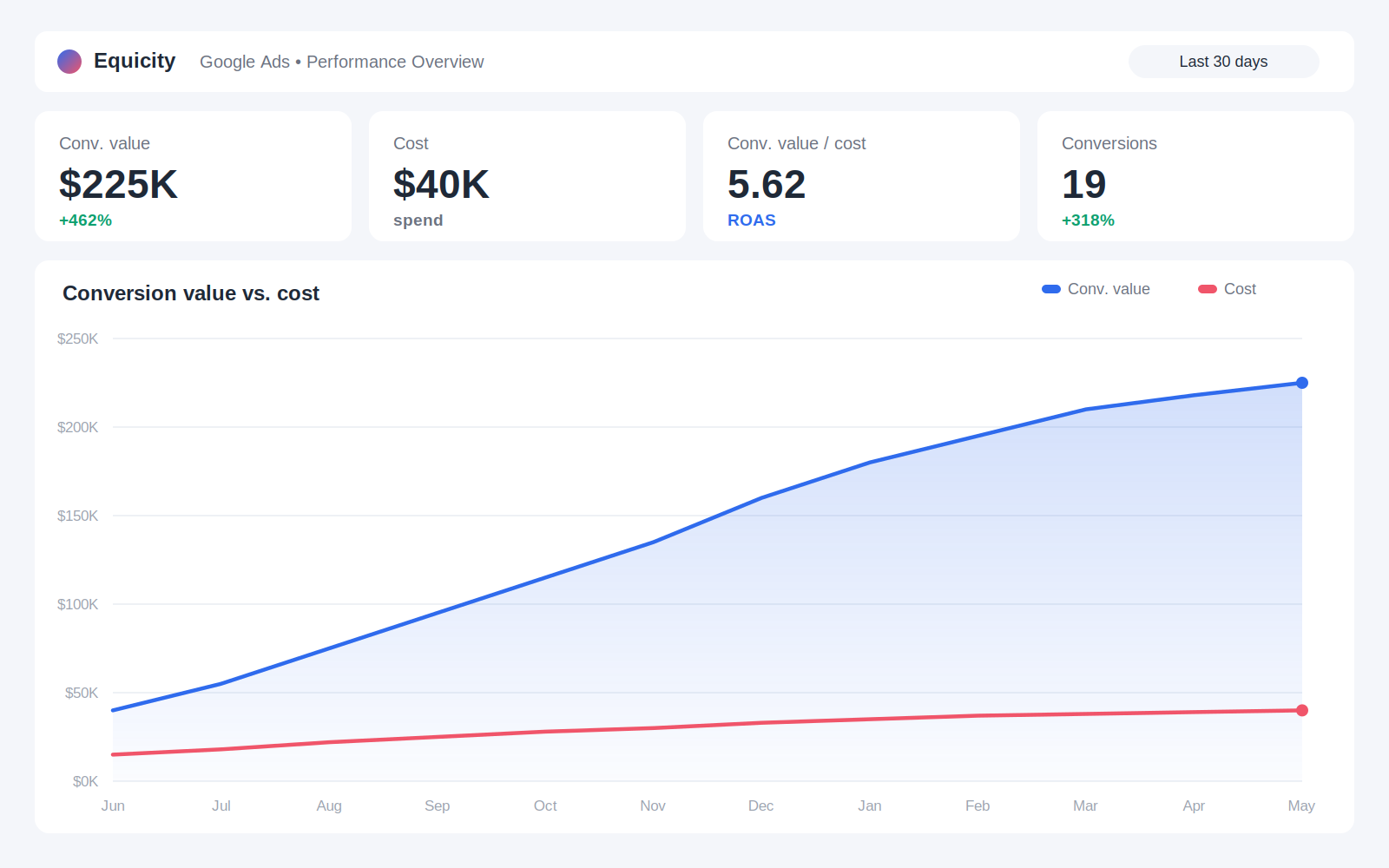
SEO or Google Ads? A plain-English comparison of cost, speed and risk, the math to run before you spend, and when it makes sense to run both.
Read more
Get marketing tips, industry updates, and promos in your inbox.
We never spam or sell your information. Read our Privacy Policy here.